Location and Transportation Information
Location
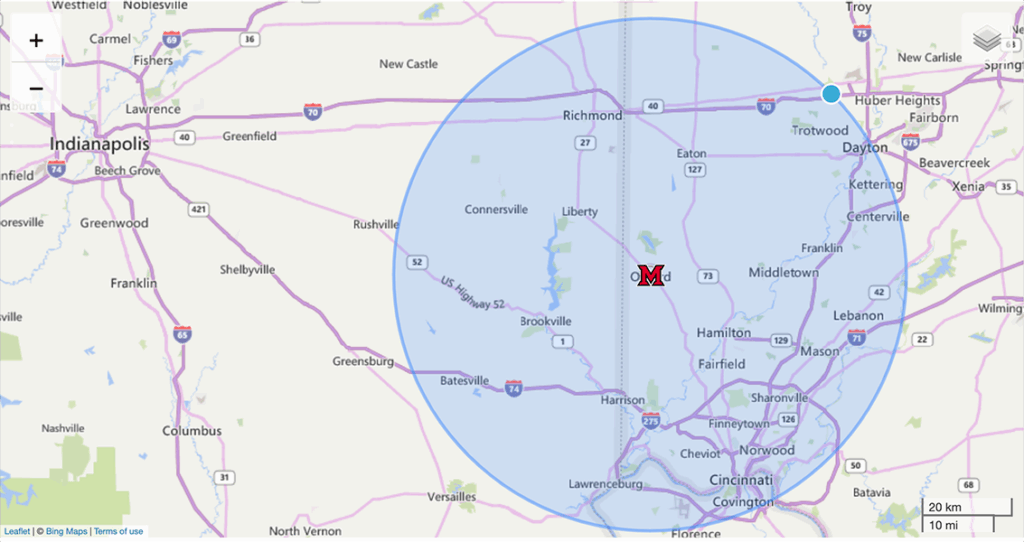
A quintessential college town, Oxford, OH, was founded as a home for Miami University and lies in the southwestern portion of Ohio, approximately 48 km (30 miles) northwest of Cincinnati and 56 km (35 miles) southwest of Dayton. It is part of the Cincinnati metropolitan area.
Airports

Cincinnati / Northern Kentucky International Airport
The Cincinnati/Northern Kentucky International Airport (CVG) is the main airport serving the Cincinnati metropolitan area. It’s located in Hebron, Kentucky, about 21 km (13 miles) south of downtown Cincinnati. CVG offers flights to over 50 destinations in North America and Europe.
It is approximately 77.5 km (48 miles) from CVG to Miami University in Oxford. On an average day, it would take approximately 65 minutes by car to go between the two.

Dayton International Airport (DAY) is a commercial passenger airport serving the Dayton, Ohio and Miami Valley region. It’s known for its “Easy To and Through” slogan, offering a convenient and efficient travel experience with a two-concourse layout. The airport is located at the “Crossroads of America,” at the intersection of I-70 and I-75, making it easily accessible by car.
It is approximately 85 km (53 miles) from DAY to Miami University in Oxford. On an average day, it would take approximately 75 minutes by car to go between the two.
Rental Car Companies









Regional and Local Transportation Services
| |  |  |
| Public Transport Options | Public Transport Options | GoBus (Ohio-Wide) | zTrip (Cincinnati) |
 |  |  |  $120 each way, somewhat reduced with passenger grouping. $120 each way, somewhat reduced with passenger grouping. |
| Executive Transport Services (Cincinnati) | Statzer Transport (Cincinnati) | Fedora Transport (Oxford) | Oxford Transport (Oxford) |
 $20 deposit + $90 each way single rider; + $50 each way with 2 riders or more $20 deposit + $90 each way single rider; + $50 each way with 2 riders or more |  |  | |
| Ven-Go (Oxford) | Uber | Lyft |
CALICO 2026 Group CarPool
Looking for potential conference attendees to share a ride from CVG or DAY? Are you renting a car and have some room to give someone a ride to CALICO? Click the button below to advertise on Group CarPool.
Parking on Campus

If you will be parking a vehicle on campus, parking fees will be waived as a courtesy for attending the CALICO conference. You will be required to register your vehicle in Miami’s parking system, however, to avoid receiving citations while you are on campus.
Creating an Account
- Click the button below to access Miami’s Parking Portal.
- At the bottom of the page click “Guest Login”
- Select “Create an Account”
- Fill in the required fields and select a password.
- You should be brought to the portal dashboard after successful account creation.
- Log out of the portal.
Registering for Parking Permit
- After creating an account, click on the parking permit link below and sign in with your account credentials.
- You should see that you have been authorized for a permit. Click “Next”
- On the next page you should see the permit for your event and a total of $0. Select the permit and check the boxes to abide by the rules, regulations, and terms.
- You will now be prompted to add a vehicle to your account. Enter all the required fields.
- Now you can add the vehicle to your permit and select “Next.”
- On the view cart page, review your details to make sure everything is accurate and the amount is $0. Select “Next” to checkout.
- Select “Pay Now” to finalize your order.
- The next page will be your confirmation. You should also receive an email confirmation.
Where to Park on Campus
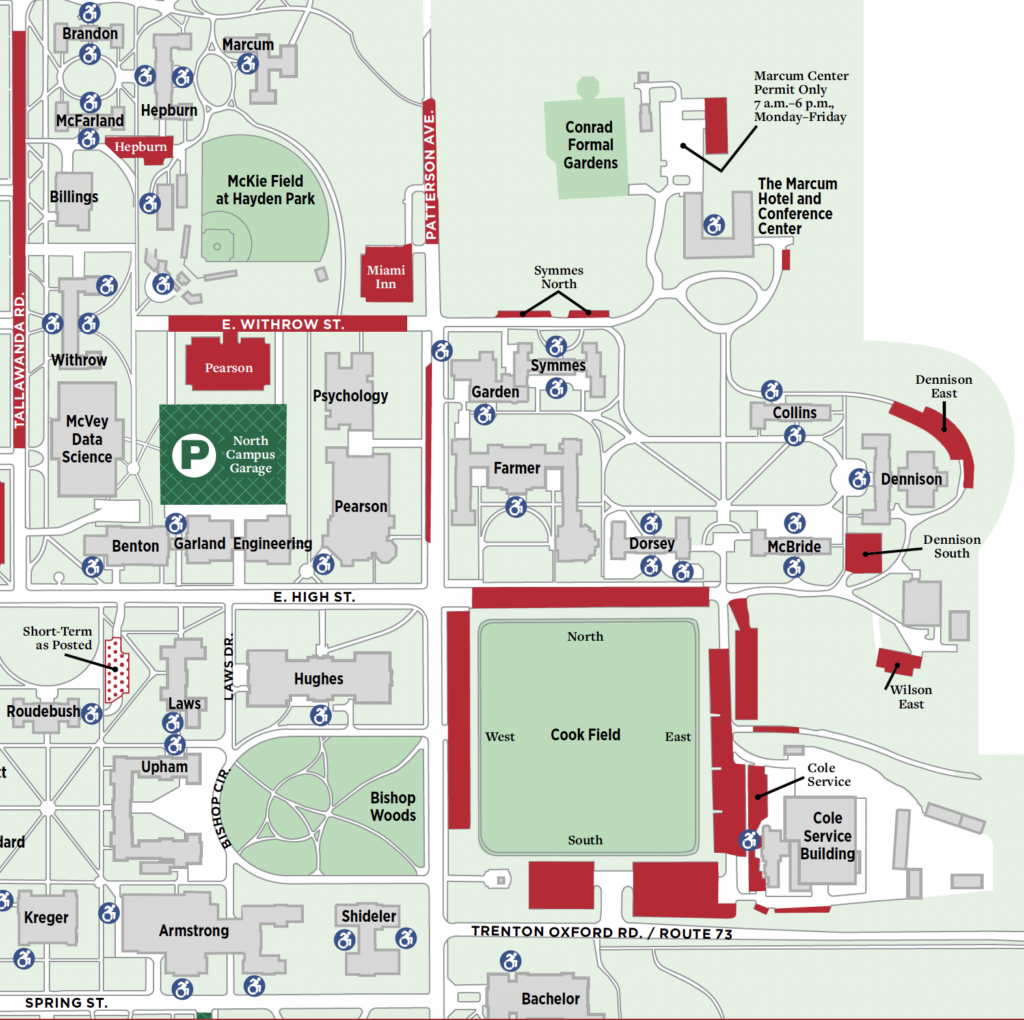
CALICO Marcum Hotel Guests – Once you have registered your vehicle in the Miami Parking Portal, please park in the lot directly behind the Marcum Hotel and Conference Center. You may also park in any designated “RED ZONE” parking area on campus.
CALICO Guests – You may park in any designated “RED ZONE” parking area on campus once you have registered your vehicle in the Miami Parking Portal. If you choose to park inside the North Campus garage, please be aware that daily/hourly rates will apply in addition to your complementary permit. Use surface lots first if possible.